I have a Beelink SER 3 which has ports for two HDMI monitors.
Recently one of the HDMI ports has been acting strangely.
When I first boot up HDMI Port 2 Screen 2 displays the Beelink Splash page for a few seconds.
Then it goes black (with occasionally flickering between black and a lighter shade of black).
Windows start screen is then displayed on HDMI Port 1 Screen 1 and everything is fine on screen 1.
However HDMI Port 2 Screen 2 remains black with occasional flickering.
Running Windows 11 Pro with 16 GB RAM and 500 GB SSD.
Display Adapter is an AMD Radeon RX Vega 10 Graphics card.
Bios is 2021 American Megatrends, Inc. Version 2.20.1274.
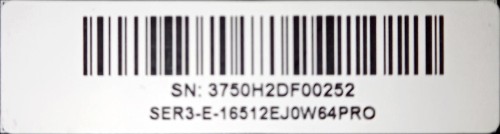
Serial number is attached to this request.
I’ve tried resetting the CMOS - No change.
I’ve tried switching cables and monitors. - Same result on HDMI Port 2.
The fact that it shows the splash screen on Port 2 Screen 2 for a few seconds makes me think that the video card is working,
Also the occasional flickering also makes me think that Port 2 is functional.
I’m thinking some software setting is turning off any video output on Port 2.
ChatGPT thinks it might be an issue with UMA Frame Buffer Size (see below).
- Because Vega 10 borrows system memory, Channel 2 will refuse to boot if your BIOS restricts graphics memory to a low default (like512MB). You need to increase the UMA Frame buffer size limit to allow dual-monitor bandwidth.
- Restart your computer. Repeatedly tap the Delete or F2 key to enter your motherboard’s BIOS setup.
- Locate the Advanced or Chipset settings menu.
- Look for a setting named UMA Frame Buffer Size, Integrated Graphics Share Memory, or iGPU Memory.
- Change this setting from “Auto” or “512M” to 2G (2GB) or 4G (4GB).
I cant find anywhere in the Beelink BIOS screens where I’m able to make these suggested ChatGPT changes.
Not sure if this is the issue or if I have a broken video card.
Looking for your help to get my second screen functional again.

