Good morning,
A couple of days ago, my ME mini stopped responding. It wouldn’t touch the mouse or keyboard, so I had to turn it off by holding down the power button.
When I turned it back on, the only thing that happens is the white LED lights up and the fan starts, but nothing appears on the screen.
Specifications ME mini N150 16GB RAM 1TB:
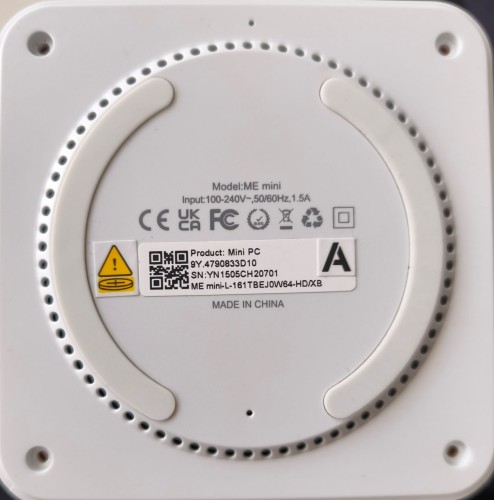
• 9Y.4790833D10
• SN:YN1505CH20701
• ME mini-L-161TBEJ0W64-HD/XB
I have the following SSD configuration:
• Slot 4: Crucial P5 5000GB SSD (Proxmox OS)
• Slot 1: Kingston NV3 1TB SSD (Data)
• Slot 6: Crucial E100 1TB SSD (Data, supplied with the computer)
• All drives have been tested with CrystalDiskInfo and are working.
I have tried the following:
• Clearing the CMOS.
• Disconnecting the HDMI and Ethernet cables and trying to turn it on, but it doesn’t work.
• Changing the HDMI cable, disconnecting the Ethernet cable (both ports), and turning it on, but it doesn’t work.
• Changing the HDMI cable, connecting the Ethernet cable (both ports), and turning it on, but it doesn’t work.
• Changing the HDMI cable, connecting the Ethernet cable (both ports), and turning it on, but it doesn’t work.
The ME mini’s specifications are as follows:
Any ideas on how to get the NAS working again?
Thanks and regards.
