Hello everyone,
I urgently need help!
I own the Beelink Mini PC (Beelink AMD Ryzen 5 5560U(6C/12T, up to 4.0GHz), SER5 Mini Computer Wi11 Pro, 16G DDR4 RAM/500G M.2 NVME SSD, Triple Displays, DP1.4, HDMI, USB3.0, WiFi6, BT5.2 | B0BV23WB2Q) SN: Y55604GG90278 SER5-E-16512EJ0W64PRO-DP/XB and all of a sudden when turning on the PC I am getting the message “map: no mapping found”. Everything worked fine yesterday.
A “Restore to Defaults” was performed in the BIOS, which did not result in any improvement. Afterward, a CMOS reset was performed (holding the button for 10 seconds, then waiting 15 minutes and reconnecting the PC). The error message continues to be displayed.
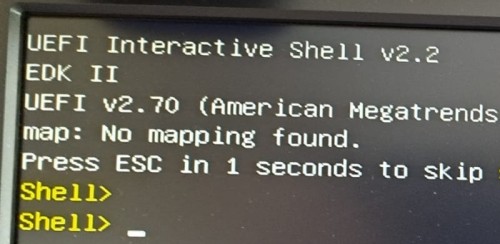
I uninstalled and reinstalled the NVME, but it didn’t do anything. The BIOS stopped recognizing it all of a sudden, and still doesn’t see it after putting it back in.
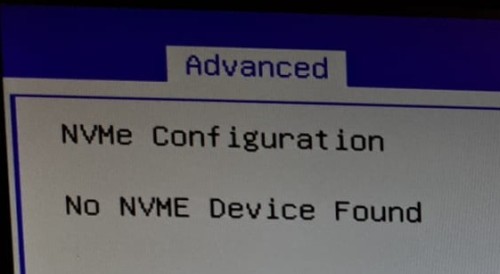
What is the next step?


