Beelink CS-Bony dpcrider12 I’m very sorry about this. We have already inquired with the R&D team. We will update you once we receive a response. Our after-sales email has also received your email. We will reply to you via email once we receive a response.
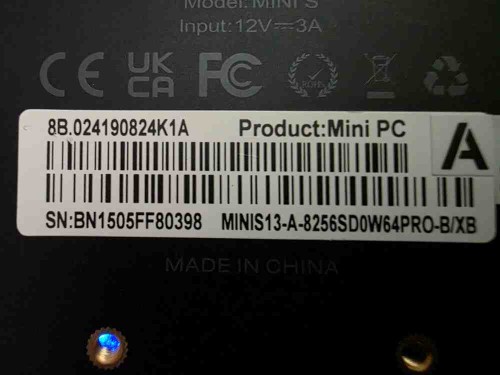
Sku Sku Hello, is there any new BIOS version for the MiniS13 (model 2×2.5gbs), S/N in the quoted post? If so, do we need to update for performance improvements or it is not useful? Thanks.
Beelink CS-Bony Sku Thank you for your confirmation. We’ve checked and your BIOS is currently up-to-date and does not require an update. If we release a newer BIOS version later, we can send it to you to improve your machine’s performance.
cL47 Hello. The below EQR6-D5 keeps long booting. Can you please send me the latest BIOS and any other fixes we might need?
Beelink CS-Bony cL47 Thank you for your letter. Your BIOS is already up to date and does not need an update. You can try updating the drivers: https://url.bee-link.cn/UX3B. Here is the tutorial: https://buildin.ai/lizong/share/50c2dee7-dcde-4707-97d8-dc7eac84a4eb. Please unplug the power supply and HDMI cable. Please press the pinhole of “CLR CMOS” with a pin for about 10 seconds.Ten minutes later, plug the power supply and HDMI cable, turn on the PC again. Please wait about one or two minute, if you can go to the system, Please repeatedly press delete key as soon as your restart the PC, go to BIOS. Go to Boot option, enable fast boot, press F4 to save. Here is the tutorial [ https://mega.nz/file/2nIRGaYI#M2aIM2bkOJshrhE8sK8MNiKopfyHlqyjnn86TypZp2w].
shintan Hello. I need to update the BIOS of my EQ12 Pro, which I purchased from Amazon. SN: DN3053HG10223 BIOS: N95V104
Beelink CS-Bony shintan Thank you for your letter. The latest BIOS has been sent to you via private message. Please check it.
chris.bee Hi, what action is required re. the expiry of “Secure Boot” Microsoft’s certificates? TPM-WMI, logged 17/03/2026 11:50:24 see https://go.microsoft.com/fwlink/?linkid=2301018 Updated Secure Boot certificates are available on this device but have not yet been applied to the firmware. Review the published guidance to complete the update and maintain full protection. This device signature information is included here. DeviceAttributes: BaseBoardManufacturer:AZW;FirmwareManufacturer:American Megatrends International, LLC.;FirmwareVersion:EQR32002;OEMModelNumber:EQ;OEMModelBaseBoard:EQ;OEMModelSystemFamily:FP7;OEMManufacturerName:AZW;OEMModelSKU:;OSArchitecture:amd64; BucketId: 12c98c8XXXXXXXX BucketConfidenceLevel: Under Observation - More Data Needed UpdateType:
support11 chris.bee Thank you for your letter. Please send us your serial number and a screenshot of your BIOS main interface. We will register your information so that our R&D department can develop a new BIOS version to resolve the issue.
support11 chris.bee Thank you for your letter. The latest BIOS has been sent to you via private message. Please receive.
heyokajohn I am getting ready to upgrade the Wi-Fi card in my SER4 to Wi-Fi 7 and want to make sure I have the most recent BIOS. I have attached pics of my computer S/N sticker and BIOS specs. Please let me know where I can get the latest BIOS. Thanks!
support11 heyokajohn Thank you for your letter. The latest BIOS has been sent to you via private message. Please receive.
KTAZ I have a U59 that stopped retaining the BIOS selection of S0 to allow auto power-on upon power restore. I replaced the battery with a Rome Tech MFN: CMOSRTB227 ID:CMOS-29 and everything looked fine (retained date and time again) but the BIOS still won’t retain the S0 setting. I followed the directions to remove all peripherals and reset the CMOS via the pinhole, but even after leaving off overnight, it still does not work. Here are photos of my BIOS screen and computer info.
Beelink CS-Bony KTAZ Sorry for the trouble. Please try to update the BIOS that I sent to you via private message.
yanjandro Hi, I cant use my second screen it duplicates both of them, we are using stratodesk as OS a linux based so on our EQ14 mini pcs, BIOS Version is TWEQF003 already but screens always duplicate, cant change it
Beelink CS-Bony yanjandro Sorry for the trouble. Please try connecting the two monitors to different interfaces. Try updating the driver.
Beelink CS-Bony bac0n Thank you for your letter. Please check the BIOS message I sent to you via private message.