I recently swapped out the stock Wi-Fi 6 card in my SER9 Pro, because performance was unacceptable:
- Stock Wi-Fi 6 card: 133 Mbps theoretical in Windows → 20 Mbps real-world peak
- Wi-Fi 7 card (QCNCM865 + external antenna): 5764 Mbps theoretical → 600 Mbps real-world peak
If you have ~$30–40, half an hour, and don’t mind opening your box, the upgrade may be worth it. I’ve tested this under Windows 11, make sure to do some research first if you’re using Linux.
Parts and prep:
- Wi-Fi card: QCNCM865 with external antenna (example: AliExpress link, I got this one)
- Drivers: Download latest Windows 11 WHQL drivers from Microsoft Update Catalog → FASTCONNECT 7800
- A small screwdriver. The WiFi card may come with one included.
Steps :
- Shut down, unplug, and ground yourself.
- Open the SER9 case: Same process as SSD replacement (look for YouTube guides).
- Remove SSD & Wi-Fi card: Both sit in the same area.
- Route antennas: Pass the new antenna leads out through one of the 4 screw holes in the bottom plate (see photo example).
- Install Wi-Fi 7 card: Connect antennas, seat card firmly.
- Reassemble: SSD back in, close the case.
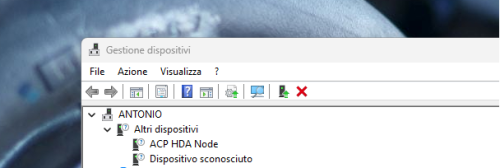
- Install drivers: In Device Manager, update driver manually from the files you downloaded.