I’m having the same problem with my Beelink Mini S12 Pro
9B.UP24A0826K20
SN BN1004FF21277 MINIS12 PRO-A-16512SD0W64PRO-B/XB
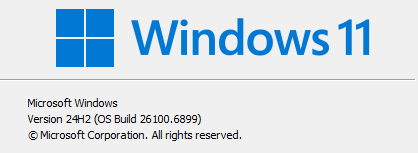
Currently running Windows 11 Pro 24H2
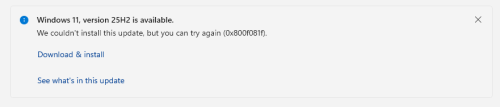
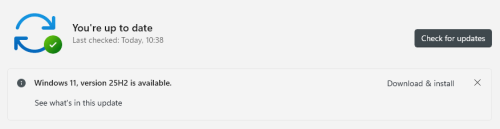
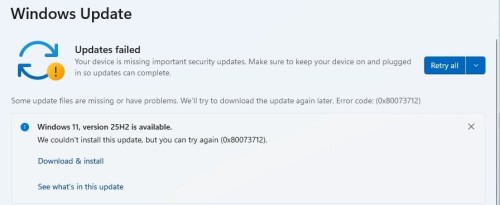
Installing 25H2 always fails.
Installing via Microsoft Windows 11 Installation Assistant fails.
Installing from ISO created with Microsoft Windows Media Creation Tool fails.
chkdsk c: /f /r runs ok no errors
sfc /scannow verification always stops at 79% and displays the following message:
Windows resource Protection could not perform the requested operation.
Tried manually deleting the Windows Update cache files (SoftwareDistribution folder, System32\catroot2 folder) as per online instructions, that made no difference.
DISM /Online /Cleanup-Image /RestoreHealth always fails at the same point:
[================== 32.2% ]
Error: 65
The specified buffer contains ill-formed data.
The exact same error occurs even if I use the ISO file as the source for the DISM operation.
Following are the last 20 or so lines of the dism.log files after failure. Note the warning at third line, then cascading errors.
2026-07-13 15:32:56, Info DISM DISM Package Manager: PID=16504 TID=12292 Processing the top level command token(cleanup-image). - CPackageManagerCLIHandler:😛rivate_ValidateCmdLine
2026-07-13 15:32:56, Info DISM DISM Package Manager: PID=16504 TID=12292 Attempting to route to appropriate command handler. - CPackageManagerCLIHandler::ExecuteCmdLine
2026-07-13 15:32:56, Info DISM DISM Package Manager: PID=16504 TID=12292 Routing the command… - CPackageManagerCLIHandler::ExecuteCmdLine
2026-07-13 15:32:56, Warning DISM DISM Package Manager: PID=16504 TID=12292 CBS AddSource failed with HRESULT=0×8007007b! - CDISMPackageManager::Internal_Finalize
2026-07-13 15:32:56, Info DISM DISM Package Manager: PID=16504 TID=12292 CBS session options=0×20100! - CDISMPackageManager::Internal_Finalize
2026-07-13 15:33:48, Info DISM DISM Package Manager: PID=16504 TID=8416 Error in operation: (null) (CBS HRESULT=0×8007025d) - CCbsConUIHandler::Error
2026-07-13 15:33:48, Error DISM DISM Package Manager: PID=16504 TID=12292 Failed finalizing changes. - CDISMPackageManager::Internal_Finalize(hr:0×8007025d)
2026-07-13 15:33:48, Error DISM DISM Package Manager: PID=16504 TID=12292 Failed processing package changes with session options - CDISMPackageManager::Internal_ProcessChangesWithOptions(hr:0×8007025d)
2026-07-13 15:33:48, Error DISM DISM Package Manager: PID=16504 TID=12292 Failed processing package changes with session option CbsSessionOptionRepairStoreCorruption - CDISMPackageManager::RestoreHealth(hr:0×8007025d)
2026-07-13 15:33:48, Error DISM DISM Package Manager: PID=16504 TID=12292 Failed to restore the image health. - CPackageManagerCLIHandler:😛rocessCmdLine_CleanupImage(hr:0×8007025d)
2026-07-13 15:33:48, Error DISM DISM Package Manager: PID=16504 TID=12292 Failed while processing command cleanup-image. - CPackageManagerCLIHandler::ExecuteCmdLine(hr:0×8007025d)
2026-07-13 15:33:48, Info DISM DISM Package Manager: PID=16504 TID=12292 Further logs for online package and feature related operations can be found at %WINDIR%\logs\CBS\cbs.log - CPackageManagerCLIHandler::ExecuteCmdLine
2026-07-13 15:33:48, Error DISM DISM.EXE: DISM Package Manager processed the command line but failed. HRESULT=8007025D
2026-07-13 15:33:48, Info DISM DISM Package Manager: PID=16504 TID=12292 Finalizing CBS core. - CDISMPackageManager::Finalize
2026-07-13 15:33:48, Info DISM DISM Manager: PID=11804 TID=16800 Closing session event handle 0×264 - CDISMManager::CleanupImageSessionEntry
2026-07-13 15:33:48, Info DISM DISM.EXE: Image session has been closed. Reboot required=no.
2026-07-13 15:33:48, Info DISM DISM.EXE:
2026-07-13 15:33:48, Info DISM DISM.EXE: <—– Ending Dism.exe session —–>
2026-07-13 15:33:48, Info DISM DISM.EXE:
Can someone please help me.