Similar to https://bbs.bee-link.com/d/8043--help--ser9-will-not-boot-after-windows-update, I opened my new Beelink and on the first Windows update it corrupted. I followed all the steps from that link and can only sometimes get into Safe Mode, but cannot restore/repair Windows.
The product description from Amazon is:
Beelink SER9 Pro AI Mini PC, AMD Ryzen AI 9 365(73TOPS,10C/20T,5.0GHz), 32G LPDDR5X 8000MHz 1TB PCIe4.0 ×4 SSD, AI PC AMD Radeon 880M NPU 50 AI Tops, Built-in MIC/Speakers/USB4/WiFi6/BT5.2/2.5G
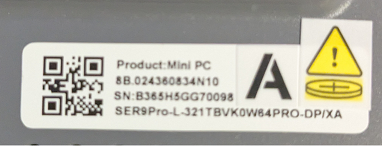
The SN is below.
How can I fix this as quickly as possible?
I wanted to update this in case someone else may benefit from what I learned. Windows 11 update 24H2 failed to install, and I’d assumed that was why Windows would not start. My PC ran about an hour after I unboxed before it crashed. I’d just signed in and started running Windows Updates. It also picked up an AMD Graphics Driver to update. That driver is what prevented Windows from starting. I downloaded the downgraded driver for my model from the Beelink Support site and threw it on a USB and booted into Windows Safe Mode and installed the downgrade. Now I’m back up and running. I’m going to wait until I hear back from someone on Beelink Support staff to know it’s safe to continue with the Windows upgrade before running anymore updates. So if you have Windows boot issues and the AMD Radeon 880M, you might try reinstalling that graphics driver before blowing away Windows.
