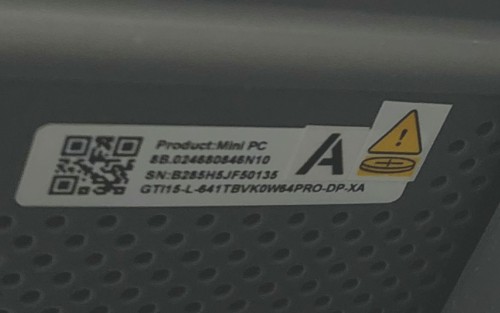
Beelink GTi14 (Win11) intermittently loses Ethernet/internet until reboot — on BIOS GTi14T110 (04/01/2025) + latest Intel drivers. Is there newer firmware / which variant is latest?
Hi everyone — I’m looking for help troubleshooting an intermittent network drop issue on my Beelink GTi14.
System details
Model: Beelink GTi14
OS: Windows 11
CPU: Intel Core Ultra 9 185H
BIOS/Firmware (per msinfo32): AMI GTi14T110, dated 04/01/2025
SMBIOS version: 3.6
Drivers: I have updated all Intel network drivers to the latest available (Ethernet/Wi-Fi as applicable), and confirmed in Device Manager that I’m not using old vendor-packaged drivers.
Problem description
The machine will randomly lose internet/Ethernet connectivity at intermittent intervals. When it happens, the only reliable recovery is a full reboot. After reboot, networking works normally again for some period of time.
What I’m trying to confirm
Is GTi14T110 (04/01/2025) the latest BIOS/firmware for the GTi14?
I’m confused by Beelink’s firmware naming (e.g., T110 variants/build dates). If there are multiple T110 packages, which one is the most current and how do I verify it?
For anyone who has seen this: did a BIOS update, a specific Intel driver version, or a NIC setting change (EEE/power management, etc.) resolve it?
Any guidance appreciated
If you’ve experienced similar “network only comes back after reboot” behavior on the GTi14 (or the same Intel 2.5GbE/Wi-Fi hardware), please share:
What BIOS/firmware you’re on (exact version/date)
What fixed it (or what didn’t)
Any recommended settings changes