trebernator
Hello there,
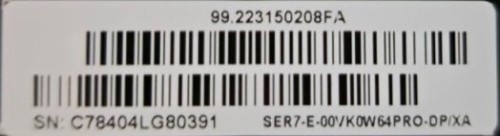
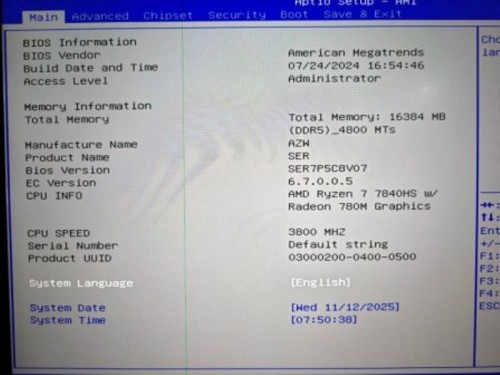
Your machine`s BIOS version should be the lastest.
Here is the new driver file link: https://mega.nz/file/PuQBARqa#amxTmCzzO1OyaYt8ZX2LMdl1m7JOzWG8ONLI4JTFtVg
Please try it.
Have a nice day~
hresvelgr13
Hello there,
Here is the driver file for SER7: https://url.bee-link.cn/wPts
The tutorial: https://buildin.ai/lizong/share/50c2dee7-dcde-4707-97d8-dc7eac84a4eb
I have sent you the lastest BIOS file, please check your PM.
Have a nice day~
Ellargo333
Hello there,
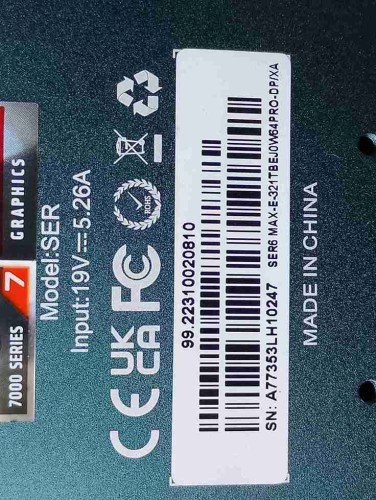
May I ask if your machine has a 2.5G network card version or a 1G network port version?
Then we can help you better.
Have a nice day~
Robsn
Hello there,
Here is the driver file for SER5 5560: https://url.bee-link.cn/SzSO
The tutorial: https://buildin.ai/lizong/share/50c2dee7-dcde-4707-97d8-dc7eac84a4eb
I have sent you the lastest BIOS file, please check your PM.
Have a nice day~
AQUINOSTEC
Hello there,
Please repeatedly press delete key as soon as you turn on the PC, go to BIOS.
Please send us a picture of the Main page, we will check if you need to update the BIOS.
Have a nice day~
gabe86407
Hello there,
Here are some potential solutions:
①Please take out the RAM ,please clean the contacts of the RAM with a rubber. Here is the tutorial https://mega.nz/file/XqZX0TIR#_DtO2oa4aRP4bWtvxgKLj4QGhBpQ959cg5U3Yw4u1Cc
Next,please take out one RAM and leave the other one in it to test if the RAM is defective or not. When testing, please turn on the PC, and wait about one minute, if you can go to the system, Please repeatedly press delete key as soon as your restart the PC, go to BIOS. Go to Boot option, enable fast boot, press F4 to save.Â
â‘¡Please update the BIOS. I have sent you the lastest BIOS file, please check your PM.
â‘¢Please change another power supply.
â‘£Overheating. If your PC is overheating, please check if the fan spins. You can also turn off the turbo boost.
Go to control panel —power option—change to High performance— change plan setting—advanced setting —processor power management— change both 100% to 99% , click save.
⑤Update graphics driver: Please uninstall the graphic driver in the device manager and install the new one.
Here is the driver file: https://url.bee-link.cn/Pfhf or https://url.bee-link.cn/SzSO
The tutorial: https://buildin.ai/lizong/share/50c2dee7-dcde-4707-97d8-dc7eac84a4eb
Have a nice day~