mlmason75
Hello there,
Our R&D team is collaborating with AMD to optimize driver compatibility. Please wait patiently.
Have a nice day~
nmac268
Hello there,
Could you please send us a picture of SN code(two lines) at the bottom of machine ?
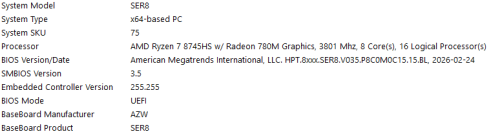
Please repeatedly press delete key as soon as you turn on the PC, go to BIOS. Please send us a picture of the Main page, we will check if you need to update the BIOS.
The problem you encountered stems from incompatibility between the latest AMD chipset and graphics drivers and our device.
Only the factory default drivers work stably with this model. New official AMD drivers are not yet fully adapted. Our R&D team is collaborating with AMD to optimize driver compatibility. To fix boot failures, please follow the solutions below.
Solution 1: Uninstall problematic drivers & install original factory drivers (Priority Recommendation)
This method lets you resolve the issue without reinstalling the system.
Force a hard shutdown 3 times consecutively: Press and hold the power button while the Windows boot logo is displayed. On the 4th startup, the system will launch Automatic Repair automatically.
Navigate: Advanced options → Troubleshoot → Advanced options → Startup Settings → Restart.
After rebooting, press 4 to enter Safe Mode.
In Safe Mode, right-click the Start menu and select Apps & Features / Installed Apps. Search for AMD Chipset Software and uninstall it following the on-screen prompts.
Open Device Manager and uninstall the graphics driver as well.
Restart your device and check if it boots up normally.
Please download and install the matched original drivers via the links below:
Driver package: https://url.bee-link.cn/XqOf
Installation tutorial: https://buildin.ai/lizong/50c2dee7-dcde-4707-97d8-dc7eac84a4eb
Solution 2: Windows Recovery, Reset or System Reinstallation (If Solution 1 fails)
Perform a hard shutdown twice when you see the Windows loading dots. On the 3rd startup, the device will enter Windows Recovery Environment.
Try the following tools one by one:
Startup Repair: Go to Troubleshoot > Advanced options > Startup Repair to fix boot issues automatically.
System Restore: Check if there is an available restore point to revert your system.
If no restore point is available: Go to Troubleshoot > Advanced options > Startup Settings > Restart, then press 4 to enter Safe Mode. Back up your important data first, then check all drivers in Device Manager. Reboot to test.
If the problem persists, choose Reset this PC (keep files & apps, keep only files or erase all data as you need).
If the above methods still do not work, please reinstall the system:
System file: https://url.bee-link.cn/WhWb
Reinstallation guide: https://url.bee-link.cn/UZYb
Note: Please back up all important data before system reinstallation.
Have a nice day~
bayu22
Hello there,
I have sent you the Windows key, please check your PM.
Have a nice day~
Ashuramaru
Hello there,
I have sent you the lastest BIOS file, please check your PM.
It is recommended that if the machine returns to normal after rolling back the driver version or reinstalling the system, please do not update Windows or AMD official drivers for a short period of time.
Have a nice day~