My SER5 Pro (BIOS SER5H512) has developed very slow boot times. A cold boot takes about 8 minutes and 15 seconds. The SSD health is good, SMART is clean, sfc /scannow and DISM both completed without errors, and startup programs are minimal.
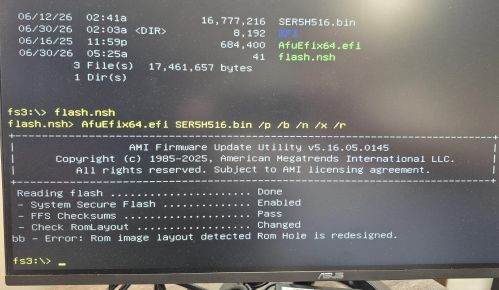
Beelink support provided a BIOS update package containing SER5H516.bin, AfuEfix64.efi, and flash.nsh. The original instructions referenced startup.nsh, but the package only contains flash.nsh. I was able to boot from USB into the UEFI shell, switch to fs3:, and run flash.nsh.
That gave me the error “Rom image layout detected Rom Hole is redesigned.”
Beelink support via email is now telling me to reinstall Windows which sounds like someone is reading from a script instead of really looking into the issue. Windows is running fine.
Has anyone with a SER5H512 system seen this error before? Does SER5H516.bin sound like the correct BIOS for this model, or could this be the wrong BIOS package? Any suggestions?
Beelink SER5 Pro-E-32500EJ0W64PRO-DP/XB
S/N Y58504BF10528
Bios version – SER5H512

UPDATE: Customer support (via email) sent me this.
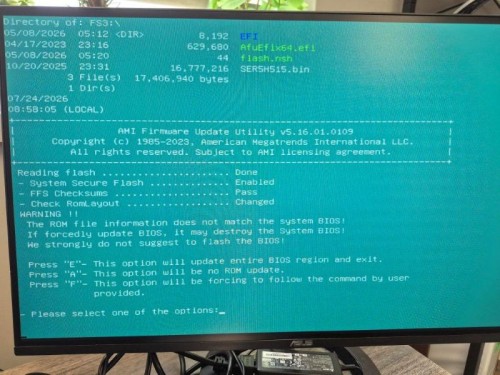
“Alternatively, you can update to BIOS version 515: https://url.bee-link.cn/5FSK Here is a tutorial: https://url.bee-link.cn/G1jp”
When I tried that, I got this warning and exited out.