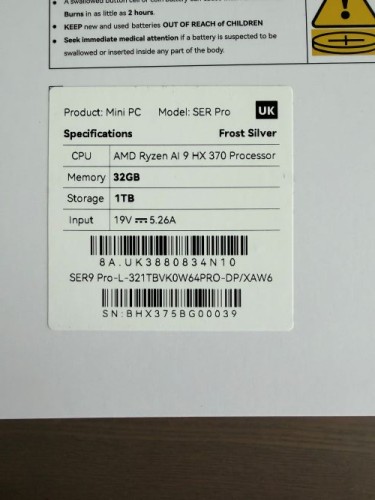
jen I am having the same wifi problem with my BeelinkSER 9 PRO Ryzen AI 9 HX 370 32GB. The wifi connection is dropping constantly and I’m unable to connect to 5GHz, despite all my other devices connected to the same router all right. It always fall back to 2.4GHz.
Beelink CS-Sylvia jen Sorry for the trouble. Device Manager - Network Adapter - Double-click WIFI driver - Advanced - Preferred Band - Prefer 5GHz band; Please try reinstalling the wifi driver. Here is the driver source: https://url.bee-link.cn/JDaT Tutorial: https://buildin.ai/share/005e2ade-fda8-4c92-89b1-3819a1fee1dc
jen Beelink CS-Sylvia Already downloaded the latest device driver 24.20.1 for Intel® Wireless Wi-Fi drivers for Intel® Wi-Fi 6 AX200 on intel.com website and installed. Prefer 5GHz band is already set in the Device Manager.
Beelink CS-June jen Hello there, Would you be willing to send the machine back for inspection and replacement? We suggest that you contact our customer service email - Support-PC@bee-link.com Have a nice day~
Beelink CS-June Yenile Hello there, Could you please send us a picture of SN code(two lines) at the bottom of machine ? Then we will send you the key. Have a nice day~
albgr Good morning. I just saw this post and I’m glad you found a solution. I contacted you some time ago about this very problem and there was no solution. I’m sending you a photo of my SER8 serial number to see if you can provide me with the kit. Thank you very much. Best regards.
Beelink CS-June albgr Hello there, May I ask if you need the new version of the antenna to solve the problem of poor signal quality for SER8 Bluetooth or WiFi? If so, it is recommended that you contact this email address: support-pc@bee-link.com Have a nice day~
albgr Beelink CS-June Thank you so much. I’ve already written to them explaining everything. Best regards!
Beelink CS-June albgr Hello there, You are welcome. We are happy to help you. If you have any questions during the use of the machine, please feel free to contact us. Have a nice day!
mmikkula hello, I just discovered this thread. I have always had bluetooth issue (mouse lagging, freezing and disconnect or not connect at all), and also some wireless issue. this is the s/n: do I need the replacement antenna? thanks
Beelink CS-June mmikkula Hello there, Based on the SN picture you provided, it seems that your machine is equipped with an older version of the antenna. It is suggested that you contact the after-sales email to apply for a new antenna to solve the problem - support-pc@bee-link.com Have a nice day~
Beelink CS-June Terry87 Hello there, Thanks for your reply~ Based on the serial number of your machine, it seems that your device does not have the new version of the WiFi antenna. We suggest that you contact the after-sales email support-pc@bee-link.com to apply for the new version of the antenna accessories to solve your problem. Have a nice day~
Joo Hello, I need help with my SER8. I was following the video to switch the wifi antennas and apply the EMI shielding film but I stripped the SSD cooler screw because it is too tight. I still didn’t manage to unscrew it. I need assistance. Is there something I can do? Photo attached.
Beelink CS-June Joo Hello there, We suggest that you try using a PH0 screwdriver to see if you can unscrew the screws of the SSD cooler. You can also suggest going to the local repair shop and having a professional technician use professional tools to unscrew it. Have a nice day~
Momboos Hi Beelink, I’m also having wifi issue with periodic disconnection. Pleast assist, thank you!
Beelink CS-June Momboos Hello there, We suggest that you contact the after-sales email support-pc@bee-link.com to apply for the new version of the antenna accessories to solve your problem.